Start from finished, not from blank
The Themeasy template library lives right inside the Elementor editor — browse ready-made sections and pages in a popup and insert the one you want in one click. Subscribers get every new addition, and any saved template embeds anywhere with a single shortcode.
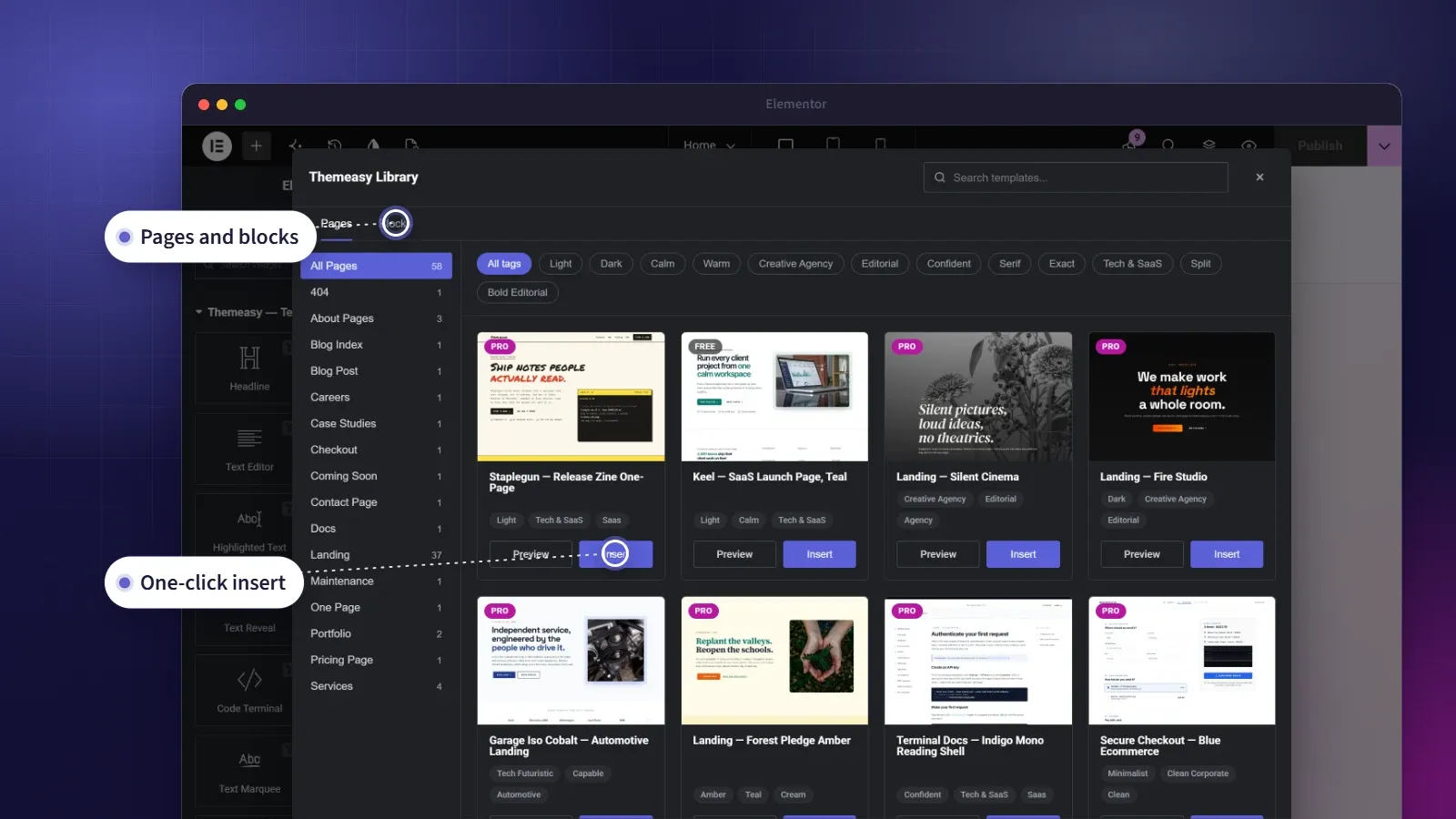
The library is live. Browse every section and page at library.themeasy.co — then insert the one you want without leaving Elementor.
Browse the libraryA library that keeps growing.
The blank canvas is the slowest part of building a site. The template library removes it. Instead of starting every section from nothing, you start from a finished, professionally designed block — then make it yours.
What makes it a library rather than a one-time bundle is that it keeps growing. Subscribers receive new templates continuously, so the product you bought quietly improves over time. Insert a design in one click without leaving the Elementor editor and it lands styled with your brand, or reuse any saved template anywhere on the site with a single shortcode.
At a glance
- One-click insert, right in the Elementor editor
- Search, categories, tags and a full-size preview
- A living library that keeps growing
- Embed anywhere with a shortcode
- Built on your synced brand styles
What you get
Insert in one click
A Themeasy Library button sits in every add-section area of the editor. Pick a section or a page, hit Insert, and it lands at the end of your page, ready to edit. Nothing you already built is replaced.
Always growing
New templates arrive continuously, and AI-assisted generation is in development. The library is better today than it was yesterday, and every addition is yours while you subscribe.
Embed with a shortcode
Reuse any saved template anywhere with a single shortcode — in a post, a page or a widget — with its styles included, or not, as you choose.
Built on the same widgets
Every template uses the Themeasy widget library and your synced brand, so an import lands looking like it belongs on your site.
Three ways to move faster
-
Browse without leaving the editor
Click the Themeasy Library button in any add-section area and the library opens in a popup. Search it, or narrow the grid by category and tag.
-
Preview, then insert
Preview opens a template full-size in a new tab. Insert adds it to the end of your page, styled with your synced brand colors and fonts, ready to edit.
-
Or embed it anywhere
Use a shortcode to reuse a saved template in any post, page or widget, and skip its CSS when you'd rather style it yourself.
Questions, answered
Do I get this library if I buy a theme instead of subscribing?
You get a different one. Every perpetual theme ships with a local, theme-scoped library — the sections and inner pages from its own demos, packaged with the theme, working forever and offline. The growing cloud library on this page comes with an active Pro or Agency subscription.
Can I try the library before subscribing?
Yes. The library opens in the editor on every plan, the free plugin and the Widgets plan included, and templates marked Free insert on all of them. Templates marked Pro need an active Pro or Agency subscription. Preview works for every template either way.
Does inserting a template replace my page?
No. Insert adds the template's sections to the end of the page you're editing and leaves your content and page settings as they were. You can insert as many templates as you like.
Can I embed a template without its styles?
Yes — the embed shortcode takes an option to skip loading the template's CSS, so you can style it entirely on your own terms.
Will imported templates match my site?
Yes. They're built on the Themeasy widgets, and on a Themeasy theme they pick up your synced colors and fonts automatically.
Made to work together
Theme Builder
Design every part of your site, visually.
Build headers, footers, archives, single posts and more in Elementor — each one a reusable Global Section, placed exactly where your rules say.
ExploreWidget Library
A widget for every section you'll ever build.
128 polished Elementor widgets across twelve categories — text, media, sliders, dynamic post and product loops, headers, footers and more.
ExploreColors & Typography
Your design system, defined once.
Set brand colors with light and dark values, a responsive type scale and eight display styles — then watch them flow into Elementor's native pickers.
ExploreEvery feature, every site, one plan
Template Library is one piece of the Themeasy plugin. Go Pro and the whole toolkit follows you to every site you build — the entire theme catalog and the living template library included.