Global by default, bespoke when it matters
Some pages deserve special treatment. Page settings let you override colors, layout spacing, page-load animations and even smooth scroll or the preloader — for that one page alone.
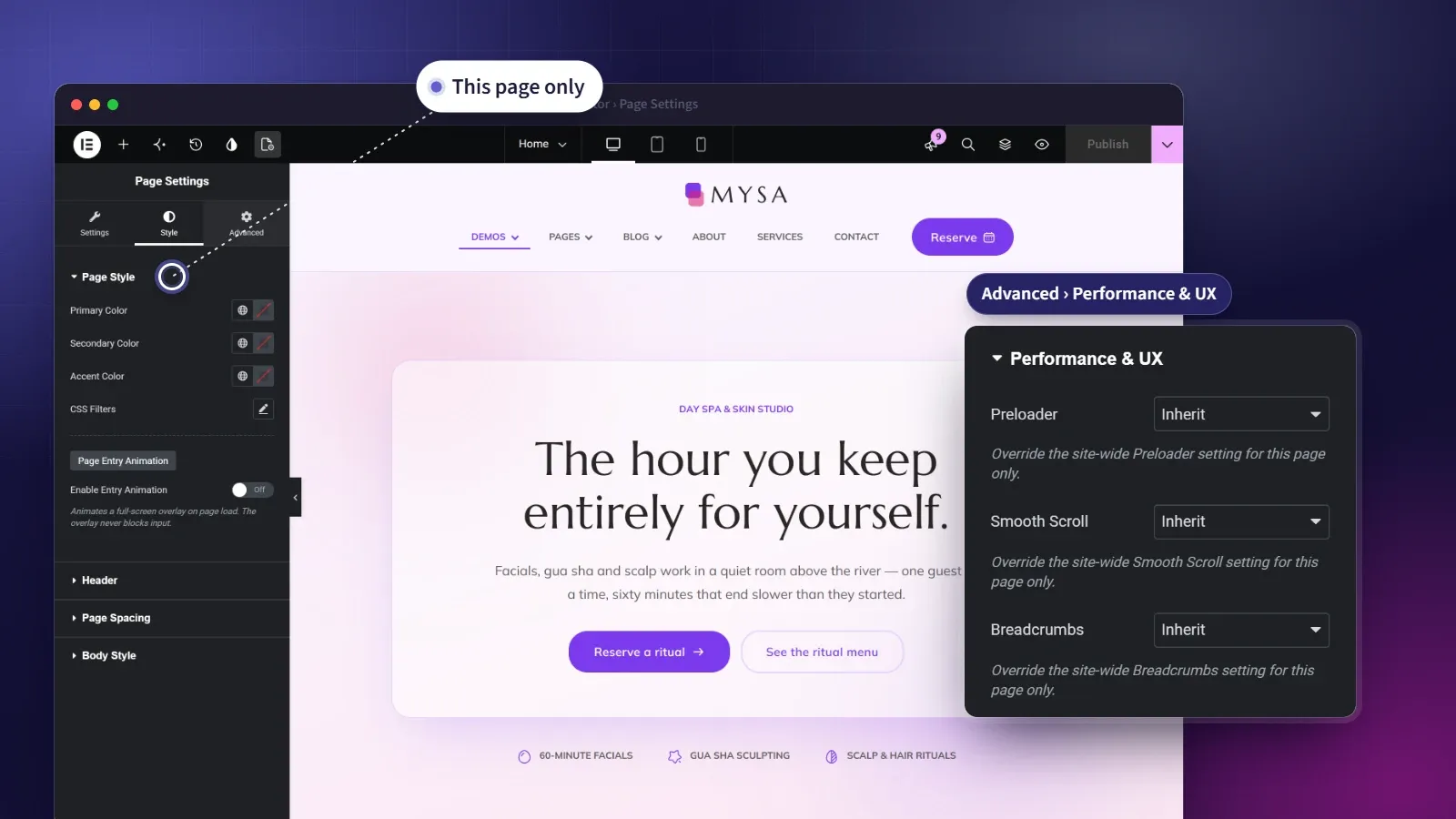
Override anything — for just one page.
Most of the time you want consistency — one palette, one rhythm, applied everywhere. But every site has the exception: the campaign page that needs a different accent, the landing page that should open with a flourish, the long read that wants more breathing room. Page settings handle the exception without breaking the rule.
Open Elementor’s Page Settings and you’ll find extra sections for variants, style, the header, spacing and performance that apply to that page only. Recolor it, retune its spacing, give it an entry animation, let the header float over its hero, or change how it scrolls — all from the editor, none of it global, and not a line of code in sight.
At a glance
- Override colors and spacing per page
- Full-screen entry animations
- A header that overlaps the hero, page by page
- Preloader, smooth scroll and breadcrumbs per page
- Page Variants for bulk targeting
What you get
Per-page color overrides
Recolor a single page's primary, secondary and accent — and tint the whole thing with CSS filters — without touching your global palette.
Page entry animations
Greet visitors with a full-screen reveal as the page loads — curtain up, wave up or a simple fade.
Page spacing, fine-tuned
Set hero and section padding and container gaps for one page, while each section stays free to override the default.
A header that fits the hero
Let the header float over a full-bleed hero on one page and sit above the content on the next, without building a second header.
Performance, per page
Turn the preloader, smooth scroll or breadcrumbs on or off for a single page, independent of your site-wide default.
Page Variants
Tag a page as Dark Mode, One-Page or Landing. Global Sections can then target every page that carries the trait, so a landing page gets its minimal header on its own.
Five panels, one page at a time
Page Variants
Traits you can target in bulk.
- Dark Mode, One-Page and Landing
- Set from Elementor or the Pages list
- Targeted by Global Sections
Page Style
Color and finish for this page alone.
- Primary, secondary and accent overrides
- CSS filters — blur, brightness, contrast, saturation and hue
- An entry animation on page load
Header
How the header meets the first section.
- Overlap the first section, for a full-bleed hero
- Reserve space above, for a page without one
- Or inherit the header's own behavior
Page Spacing
Spacing tuned to the page.
- Hero and section padding
- Inner and grid container gaps
- Reset child container padding
Performance & UX
Behavior that follows the page.
- Preloader — inherit, enable or disable
- Smooth scroll — inherit, enable or disable
- Breadcrumbs — inherit, enable or disable
Questions, answered
Is per-page control included when I buy a single theme?
Yes. Every premium theme ships with the full Themeasy plugin, page settings included — no subscription needed.
Does per-page control work with any theme?
It runs on Themeasy themes, since it overrides settings the theme and the settings panel provide. Pro and Agency include every Themeasy theme, and so does a premium theme bought on its own.
Does this change my whole site?
No — every override here applies only to the page you're editing. Your global settings stay exactly as they were.
Do I need to write any code?
No. These are controls inside Elementor's Page Settings, alongside the options you already use.
Does a section's own padding still win?
Yes. Page Spacing sets the default for the page's top-level sections, and padding you set on a container overrides it for that section.
How is this different from the settings panel?
The settings panel sets your site-wide defaults; page settings override them for one page when a campaign or landing page needs something of its own.
Made to work together
Container Effects
Motion and rich backgrounds on any container — no code.
Add entrance motion, hover interactions, sticky columns, aurora glows, grid patterns, parallax layers and per-container dark mode to any Elementor section.
ExploreColors & Typography
Your design system, defined once.
Set brand colors with light and dark values, a responsive type scale and eight display styles — then watch them flow into Elementor's native pickers.
ExploreTheme Builder
Design every part of your site, visually.
Build headers, footers, archives, single posts and more in Elementor — each one a reusable Global Section, placed exactly where your rules say.
ExploreEvery feature, every site, one plan
Per-Page Control ships inside the Themeasy plugin — with every premium theme and every Pro subscription. Own it in a single theme, or go Pro and run the whole toolkit on unlimited sites.