Your site's control center
The Themeasy settings panel keeps everything global in one place — your logo, performance behavior, custom code, which widgets show in Elementor, and a guided checklist to get you launched.
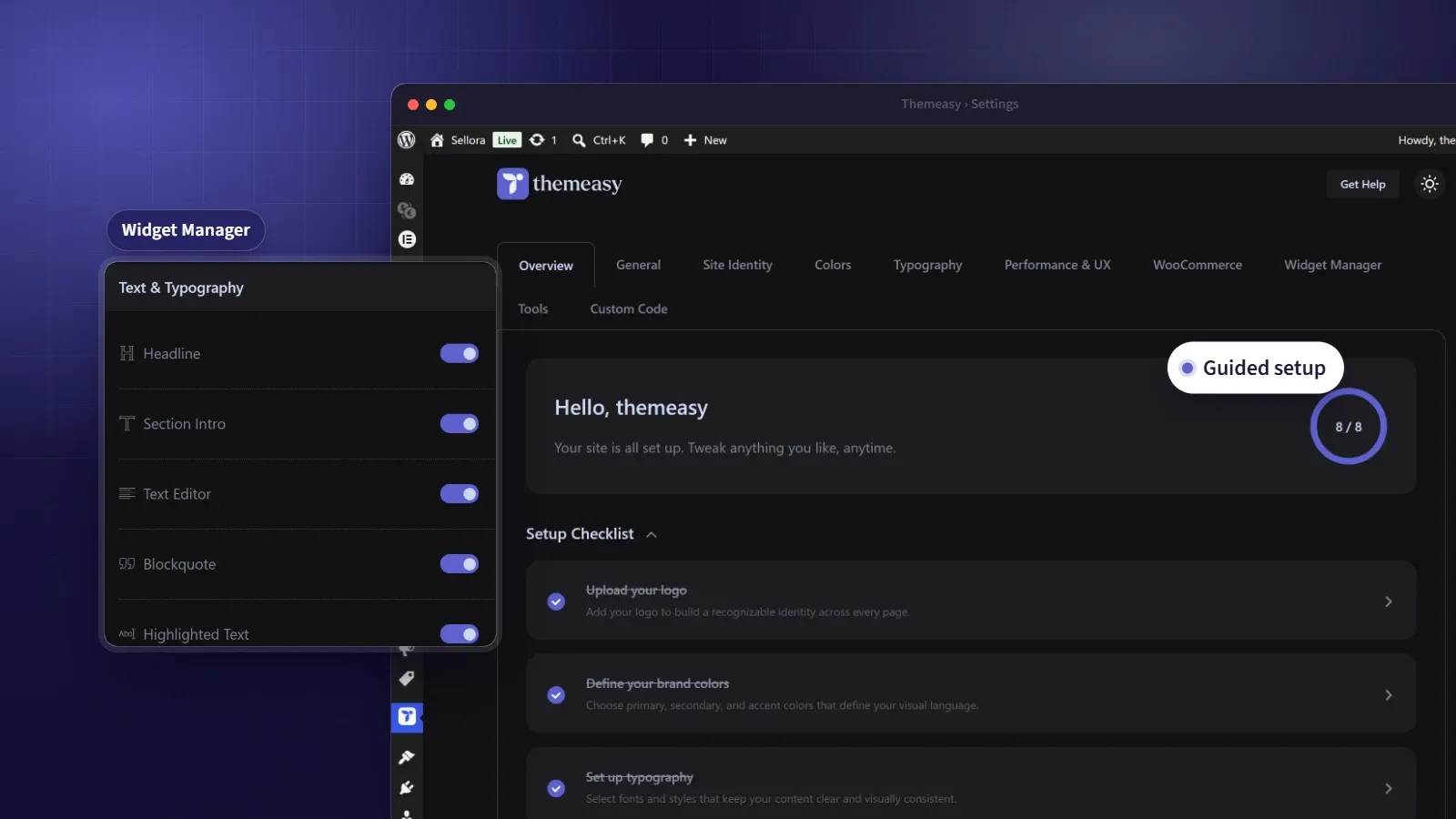
One panel to run your whole site.
Power without a place to put it becomes clutter. The Themeasy settings panel is that place — a single, tabbed home for every site-wide decision, so you’re never hunting through scattered screens to change one thing.
A guided checklist gets a new site from logo to launch. From there, the panel holds your site identity, colors and typography, layout width, performance behavior, custom CSS, JavaScript and HTML, a widget manager to keep Elementor focused, and tools to export, import or reset everything at will. It’s the quiet command center behind a well-run Themeasy site.
At a glance
- A guided setup checklist
- Colors, typography and layout for the whole site
- Custom CSS, JS and HTML
- Widget Manager for a tidy editor
- One-click export, import and reset
What you get
A guided setup
A checklist with a progress ring walks you from logo to homepage, ticking off each step as you complete it.
Custom CSS, JS & HTML
Add site-wide code with build-to-file and minify options, plus head, body-start and footer slots for analytics and tag managers.
Widget Manager
Switch individual widgets off to keep your Elementor panel showing only the ones you actually use.
Export, import & reset
Back up every setting to a file, move it to another site, or reset to defaults — each a single, deliberate click.
Every global setting, one place
Overview
A setup checklist, a progress ring and your environment details.
General
Content width and gutter, breadcrumbs, excerpts and attachment-page redirects.
Site Identity
Your logo and its sticky variant, sized to taste.
Colors & Typography
Two tabs for your palette, with light and dark values, and your fonts and type scale, both synced into Elementor.
Performance & UX
An optional preloader and smooth scrolling, each finely tuned.
WooCommerce
Catalog, product card, product page and image settings, shown once WooCommerce is active.
Widget Manager
Toggle Themeasy widgets on or off to keep Elementor tidy.
Tools
Export, import and reset your settings, safely.
Custom Code
Site-wide CSS, JavaScript and HTML, built to files and minified.
Questions, answered
Is the settings panel included when I buy a single theme?
Yes. Every premium theme ships with the full Themeasy plugin, the settings panel included — no subscription needed.
Does the settings panel work with any theme?
It runs on Themeasy themes, because it styles the theme itself — logo, colors, fonts and layout. Pro and Agency include every Themeasy theme, and so does a premium theme bought on its own.
Who can open the settings panel?
Any site administrator, once the plugin and theme are active. You'll find it under Themeasy → Settings in the WordPress sidebar.
Will custom code slow my site down?
It's built to help. CSS and JavaScript can compile to cached external files and minify automatically, and you choose exactly where scripts load.
Can I move my settings to another site?
Yes — export them to a file and import on the new site. You'll just re-select any logos or media that don't carry across.
Does the light and dark toggle in the panel change my site?
No. That toggle only changes how the admin panel looks, and it's remembered per browser. Your site's own dark mode comes from the dark values in Colors and from the Dark Mode page variant.
Made to work together
Colors & Typography
Your design system, defined once.
Set brand colors with light and dark values, a responsive type scale and eight display styles — then watch them flow into Elementor's native pickers.
ExploreWhite-Label
Your brand in the WordPress admin and the Elementor editor.
Put your agency's name and logo in place of Themeasy's in the WordPress admin and the Elementor editor, and rewrite the plugin's row in the Plugins list.
ExplorePer-Page Control
Override anything — for just one page.
Tune colors, spacing, entry animations, the header and performance on a single page, without touching your global setup or writing code.
ExploreEvery feature, every site, one plan
Settings Panel ships inside the Themeasy plugin — with every premium theme and every Pro subscription. Own it in a single theme, or go Pro and run the whole toolkit on unlimited sites.